
In the year 2026, the dream of the “office on wheels” has finally become a reality. With the widespread adoption of Low Earth Orbit (LEO) satellite constellations like Starlink Mobility and Amazon’s Project Kuiper, vehicle-integrated satellite-Wi-Fi has replaced traditional cellular hotspots for many long-distance travelers and digital nomads, ensuring reliable mobile internet connectivity. However, even with cutting-edge 2026 technology, users still face a frustrating obstacle: understanding how to find and fix dead zones in your car’s satellite-Wi-Fi hotspot.
A dead zone in your car isn’t just a minor inconvenience; it can mean a dropped video conference while you’re parked at a scenic overlook or a laggy gaming experience for passengers in the third row. Understanding in-car Wi-Fi troubleshooting is essential for anyone relying on high-speed data on the move.
This comprehensive guide will walk you through the technical nuances of modern vehicle satellite systems and provide actionable steps on how to find and fix dead zones in your car’s satellite-Wi-Fi hotspot, ensuring every inch of your car is a high-speed “hot zone.”
1. Understanding the 2026 Satellite-Wi-Fi Ecosystem
Before we dive into the fixes, we must distinguish between the two components of your car’s connectivity. First, there is the satellite link, which is the connection between your car’s external antenna and the satellite constellation. Second, there is the Wi-Fi broadcast, which is the local network generated inside your car for your devices.
Most “dead zones” in a car are actually caused by the local Wi-Fi signal failing to reach certain spots within the cabin, rather than a failure of the satellite link itself, making effective RF interference mitigation and signal distribution crucial. In 2026, most vehicles use Wi-Fi 7 (802.11be), which offers incredible speeds but can be more sensitive to physical obstructions than older standards.
The Role of Vehicle Architecture
Modern cars are increasingly built with materials designed for safety and efficiency, but these materials are often the enemies of radio frequencies (RF). Carbon fiber reinforced polymers, specialized thermal glass, and high-density battery packs in EVs can act as unintentional shields, blocking the Wi-Fi signal from the router to your smartphone or laptop. These advanced materials, often part of sophisticated vehicle telematics systems, can inadvertently create barriers.
2. How to Identify Dead Zones in Your Vehicle – A Key Step in Learning How to find and fix dead zones in your car’s satellite-Wi-Fi hotspot
Finding a dead zone in a car is different than finding one in a house. Because the space is smaller, the “dead zones” are often “weak zones” where latency spikes and packet loss occur.
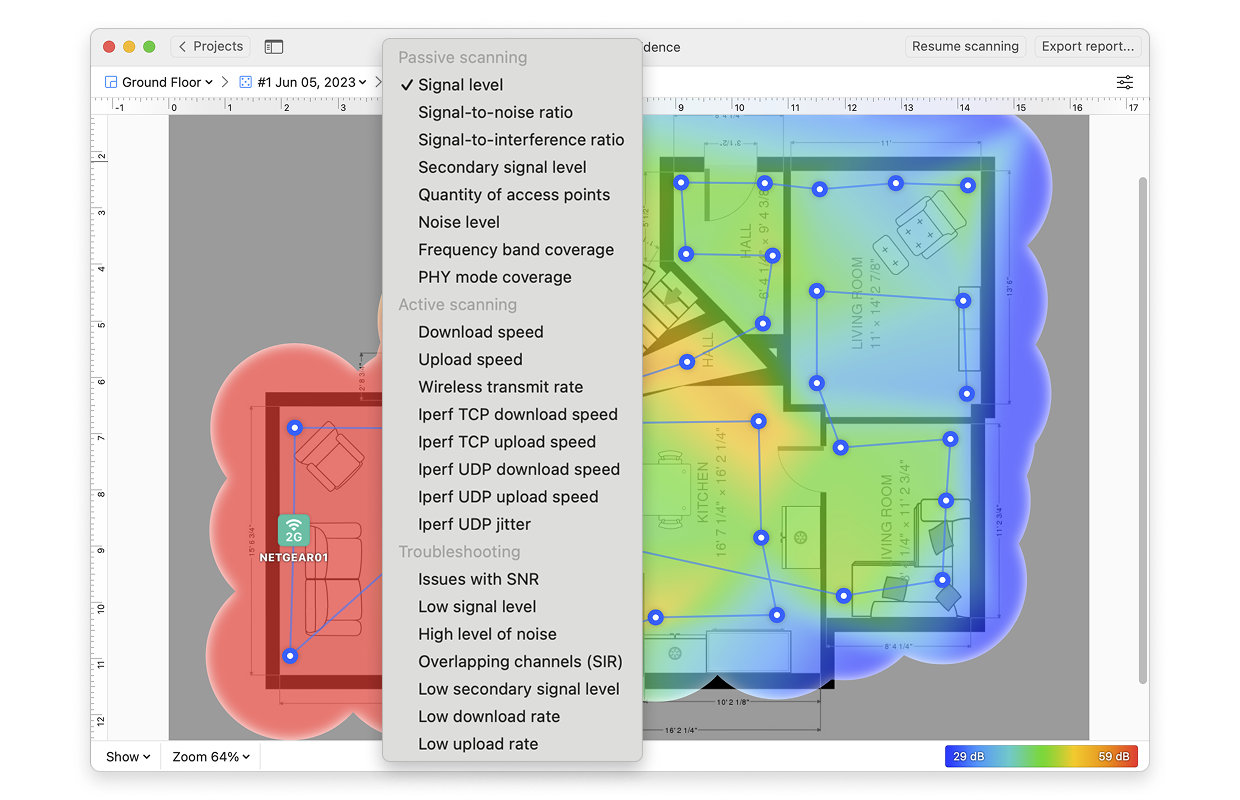
Use a Wi-Fi Heat Mapping App
In 2026, several mobile applications allow you to create a 3D signal map of your vehicle’s interior. Tools like NetSpot Mobile or car-specific diagnostic apps (provided by manufacturers like GMC, Rivian, or Tesla) allow you to move your phone around the cabin to see real-time signal strength (measured in dBm). This provides a clear signal strength indicator (SSI). These tools are invaluable for anyone learning how to find and fix dead zones in your car’s satellite-Wi-Fi hotspot.
-30 dBm to -60 dBm: Excellent signal. Perfect for 8K streaming.
-60 dBm to -70 dBm: Good signal. Reliable for most tasks.
-80 dBm or lower: The “Dead Zone.” Expect frequent disconnects and high latency.
The “Shielding” Test
To find out if your car’s structure is causing the issue, perform a test with the doors and windows open, then closed. If the signal improves significantly when a door is open, your vehicle’s thermal-insulated glass or metallic body panels are likely trapping or reflecting the signal in a way that creates destructive interference, impacting overall data throughput.
3. Common Causes of Satellite-Wi-Fi Dead Zones – Essential Knowledge for How to find and fix dead zones in your car’s satellite-Wi-Fi hotspot
Identifying the “why” is just as important as the “where.” Here are the primary culprits for signal degradation in 2026 vehicles:
Electronic Interference from Dash Cams and Infotainment
Many 2026 vehicles are packed with electronics. High-resolution 4K dash cams, wireless charging pads, and even the high-voltage inverters in electric vehicles can emit electromagnetic interference (EMI). This general RF interference can significantly degrade your Wi-Fi signal. If your Wi-Fi router is located near these components, the “noise” can drown out the Wi-Fi signal.
Signal-Blocking Window Tints
While ceramic tints are generally RF-friendly, many older or lower-quality metallic window films act as a Faraday cage. If you’ve recently tinted your windows and noticed your Wi-Fi performance has plummeted, the tint is likely reflecting the Wi-Fi signal back into the cabin, causing “multipath interference.”
Improper Antenna Alignment (Satellite Side)
Sometimes the “dead zone” isn’t a Wi-Fi issue but a satellite link issue. If your car’s phased-array satellite antenna is partially obstructed by a roof rack, a cargo box, or even heavy snow, the bandwidth coming into the car will drop. Proper antenna placement is paramount to avoid such obstructions and ensure optimal satellite reception. The Wi-Fi will stay connected, but the data flow will be non-existent.
4. Step-by-Step Fixes for Car Wi-Fi Dead Zones: A Guide on How to find and fix dead zones in your car’s satellite-Wi-Fi hotspot
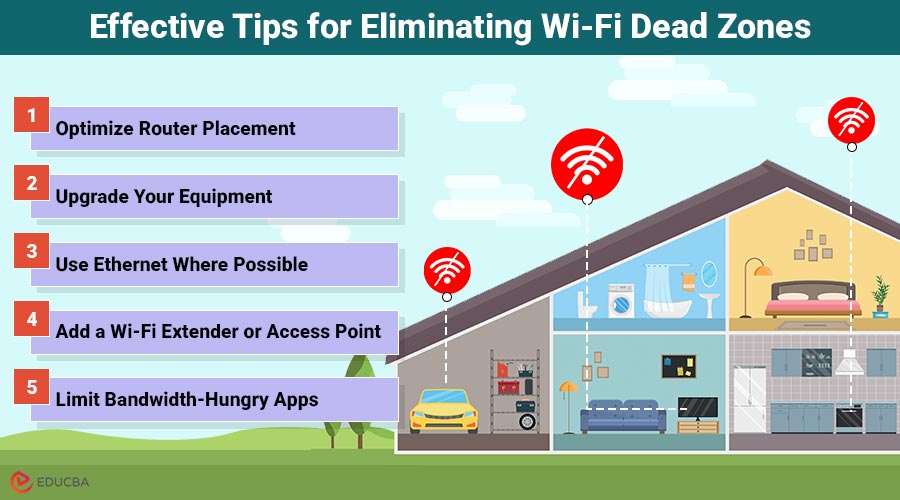
Once you’ve identified the weak spots, use these strategies to eliminate them.
Step 1: Relocate the Internal Router (If Possible)
In many aftermarket satellite-Wi-Fi setups (like the Starlink Mini for overlanders), the router is a separate unit. Centrality is key.
Avoid placing the router on the floor or under a seat.
Mount the router as high as possible, ideally on the center console or the back of a headrest.
Ensure it is at least 12 inches away from other electronic devices.
Step 2: Switch Frequency Bands
Wi-Fi 7 and Wi-Fi 6E utilize the 6GHz band, which is incredibly fast but has poor penetration through solid objects. Understanding band limitations is crucial for how to find and fix dead zones in your car’s satellite-Wi-Fi hotspot. If you find a dead zone in the third row of a large SUV:
- Access your hotspot settings via the vehicle’s infotainment screen or mobile app.
- Enable Dual-Band or Tri-Band Steering.
- Force older or distant devices to use the 2.4GHz band, which travels through seats and upholstery much more effectively than 5GHz or 6GHz.
Step 3: Install a Wi-Fi Mesh Extender for Large Vehicles
If you are driving a large RV, a converted van, or an extended-wheelbase SUV, a single hotspot may not be enough. In 2026, automotive-grade mesh nodes are available. These small, USB-powered devices plug into a rear 12V outlet and “repeat” the satellite-Wi-Fi signal, effectively eliminating dead zones in the rear of the vehicle. These devices, sometimes referred to as a wireless signal booster or repeater, are highly effective. Installing mesh extenders is a highly effective method for how to find and fix dead zones in your car’s satellite-Wi-Fi hotspot, especially in larger vehicles. These are key connectivity solutions for overcoming physical barriers.
5. Advanced Optimization for 2026 Hardware: Further Steps for How to find and fix dead zones in your car’s satellite-Wi-Fi hotspot
As we move deeper into 2026, software-defined networking (SDN) plays a huge role in how vehicles handle data.
Update Your Vehicle’s Firmware
Manufacturers like Chevrolet, GMC, and Ford frequently release Over-the-Air (OTA) updates that optimize how the internal Wi-Fi modem handles signal bouncing. These updates are critical for continuous network performance optimization. Check your “System Updates” menu to ensure your network controller is running the latest algorithms for interference mitigation. Regular firmware updates are a simple yet powerful step in learning how to find and fix dead zones in your car’s satellite-Wi-Fi hotspot.
Check for “Hidden” Obstructions
Modern luxury vehicles often have active noise cancellation (ANC) systems that use microphones and speakers to cancel out road noise. In rare cases, the wiring for these systems can interfere with Wi-Fi signals if they aren’t properly shielded. If you have a persistent dead zone in a specific seat, check if there is an ANC speaker or a seat-heating element directly between you and the router.
6. Real-World Example: Fixing a “Dead” Third Row – A Practical Demonstration of How to find and fix dead zones in your car’s satellite-Wi-Fi hotspot
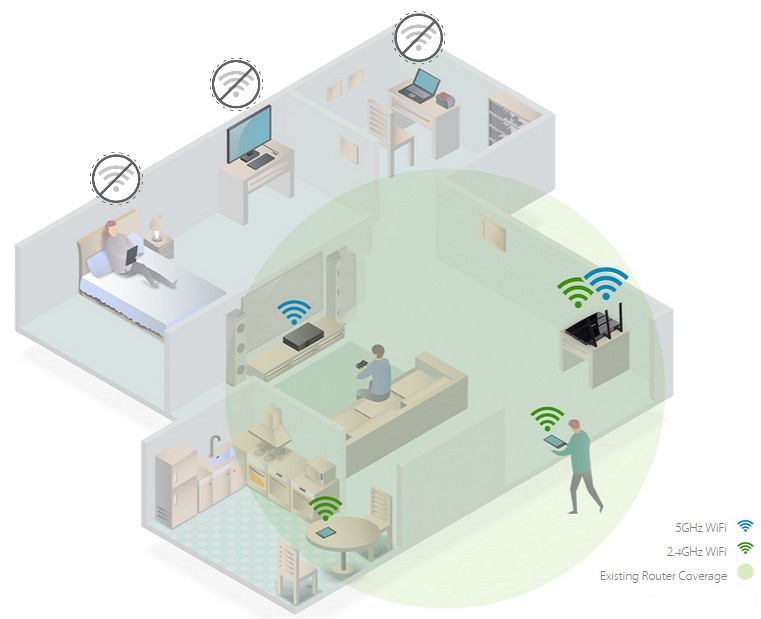
Let’s look at a common 2026 scenario. A driver of a high-end electric SUV finds that their children’s tablets constantly lose connection in the third row, despite the car having a premium satellite-Wi-Fi subscription.
The Diagnosis:
The heat map shows a significant signal drop-off behind the second-row “Captain’s Chairs.” These chairs are equipped with heavy internal motors and cooling fans, which are creating a “shadow” of signal interference.
The Fix:
- Repositioning: The driver moves the portable satellite router from the glovebox to a mounting bracket on the center ceiling console.
- Band Adjustment: The driver sets the third-row tablets to prioritize the 2.4GHz band, which wraps around the dense seats more effectively.
- Hardware: A small Wi-Fi 7 repeater is plugged into the USB-C port in the trunk area.
The Result:
Signal strength in the third row jumps from -82 dBm to -54 dBm, enabling seamless 4K gaming and video calls for the passengers.
7. The Future of In-Car Connectivity
Looking ahead, we can expect Integrated Glass Antennas to become the norm. By 2027, researchers expect to see Wi-Fi antennas embedded directly into the windshield and side windows, which would theoretically eliminate interior dead zones entirely by surrounding the passengers in a “sphere” of connectivity.
Until then, the key to a perfect connection and understanding how to find and fix dead zones in your car’s satellite-Wi-Fi hotspot is visibility and placement. Treat your Wi-Fi signal like light; if you can’t “see” the router (or a path for the signal to bounce to you), you’re likely to end up in the dark.
Conclusion
Finding and fixing dead zones in your car’s satellite-Wi-Fi hotspot in 2026 requires a mix of old-school logic and high-tech tools. By using heat-mapping apps, understanding the limitations of 6GHz frequencies, and strategically placing mesh nodes, you can ensure that your vehicle remains a bastion of connectivity, no matter how far off the grid you travel. Implementing these in-car Wi-Fi troubleshooting strategies will transform your experience.
Don’t let a “dead zone” stall your productivity or dampen your road trip. With the right configuration and knowledge of how to find and fix dead zones in your car’s satellite-Wi-Fi hotspot, your satellite-Wi-Fi can be just as reliable as your home fiber connection—even at 70 mph on a remote highway.